Integrating M-Pesa Payments in Laravel: A Complete Guide
A hands-on guide to accepting M-Pesa payments in Laravel using Safaricom's Daraja API, covering STK Push, callbacks, transaction status queries, database design, and production-readiness for PHP developers building for the East African market.

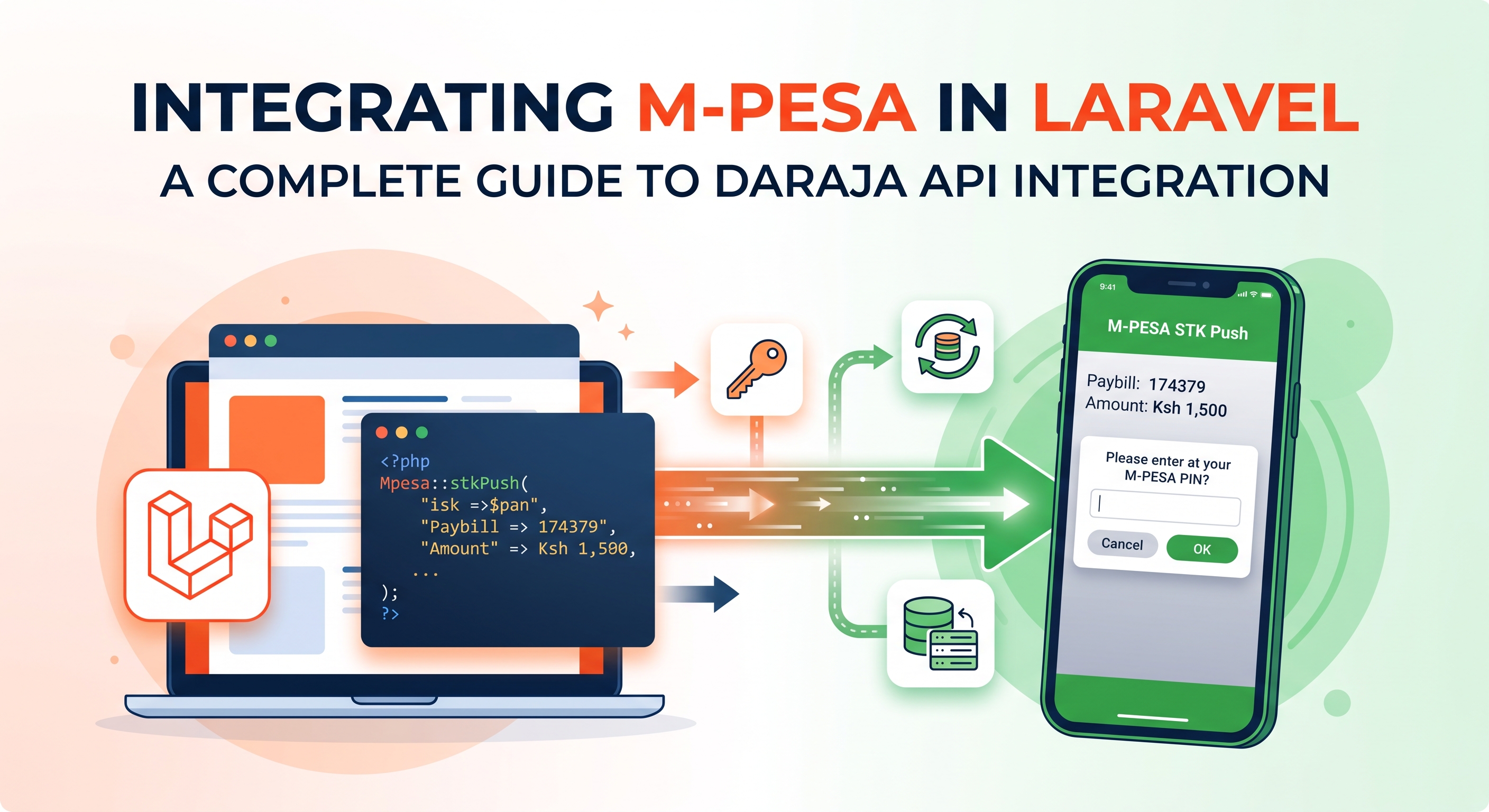
Integrating M-Pesa Payments in Laravel: A Complete Guide
Mobile money is the backbone of digital payments across East Africa, and M-Pesa is the dominant player, processing tens of millions of transactions a day in Kenya alone. If you're building a SaaS product, e-commerce platform, or booking system for the Kenyan (or wider East African) market, you'll almost certainly need to accept M-Pesa payments. This guide walks through integrating Safaricom's Daraja API into a Laravel application, covering the full lifecycle: authentication, initiating payments, handling callbacks, querying transaction status, and hardening the integration for production.
Why M-Pesa (and Why It's Different)
Unlike card payments, M-Pesa transactions are asynchronous by design. When you trigger a payment, you don't get an immediate success/failure response — you get an acknowledgment that the request was received, and the actual result arrives later via a webhook callback. This changes how you need to architect your payment flow: you can't simply redirect a user to a "success" page after the initial API call returns. Understanding this asynchronous nature up front will save you a lot of confusion later.
What You'll Need
- A Laravel 10+ application
- A Safaricom Daraja developer account (sandbox credentials for testing) — register at developer.safaricom.co.ke
- Consumer Key and Consumer Secret from your Daraja app
- A publicly accessible callback URL (use ngrok or Expose locally)
- Basic familiarity with Laravel's HTTP client, queues, and service container
1. Environment Setup
Add your Daraja credentials to .env:
MPESA_ENV=sandbox
MPESA_CONSUMER_KEY=your_consumer_key
MPESA_CONSUMER_SECRET=your_consumer_secret
MPESA_SHORTCODE=174379
MPESA_PASSKEY=your_lipa_na_mpesa_passkey
MPESA_CALLBACK_URL=https://your-domain.com/api/mpesa/callback
MPESA_INITIATOR_NAME=your_initiator_name
MPESA_INITIATOR_PASSWORD=your_initiator_password
Register these in a dedicated config file, config/mpesa.php:
return [
    'env' => env('MPESA_ENV', 'sandbox'),
    'consumer_key' => env('MPESA_CONSUMER_KEY'),
    'consumer_secret' => env('MPESA_CONSUMER_SECRET'),
    'shortcode' => env('MPESA_SHORTCODE'),
    'passkey' => env('MPESA_PASSKEY'),
    'callback_url' => env('MPESA_CALLBACK_URL'),
    'initiator_name' => env('MPESA_INITIATOR_NAME'),
    'initiator_password' => env('MPESA_INITIATOR_PASSWORD'),

    'base_url' => env('MPESA_ENV', 'sandbox') === 'production'
        ? 'https://api.safaricom.co.ke'
        : 'https://sandbox.safaricom.co.ke',
];
Centralizing base_url here means you never have to duplicate the sandbox/production ternary across services.
2. Database Schema
Before writing any service classes, design a table to track transaction state. This is the single most important part of a reliable integration — the callback is your only source of truth about what actually happened.
Schema::create('mpesa_transactions', function (Blueprint $table) {
    $table->id();
    $table->foreignId('order_id')->constrained();
    $table->string('checkout_request_id')->unique()->nullable();
    $table->string('merchant_request_id')->nullable();
    $table->string('phone', 15);
    $table->unsignedInteger('amount');
    $table->string('mpesa_receipt')->nullable();
    $table->enum('status', ['pending', 'completed', 'failed', 'cancelled'])->default('pending');
    $table->string('result_desc')->nullable();
    $table->timestamps();
});
3. Generating an Access Token
Every Daraja API call requires an OAuth bearer token. Create a service class to handle this and cache the result — tokens are valid for roughly an hour, so there's no reason to fetch a new one per request.
namespace App\Services\Mpesa;

use Illuminate\Support\Facades\Http;
use Illuminate\Support\Facades\Cache;

class MpesaAuthService
{
    public function getAccessToken(): string
    {
        return Cache::remember('mpesa_access_token', 3500, function () {
            $response = Http::withBasicAuth(
                config('mpesa.consumer_key'),
                config('mpesa.consumer_secret')
            )->get(config('mpesa.base_url') . '/oauth/v1/generate', [
                'grant_type' => 'client_credentials',
            ]);

            if ($response->failed()) {
                throw new \RuntimeException('Failed to obtain M-Pesa access token: ' . $response->body());
            }

            return $response->json('access_token');
        });
    }
}
4. Initiating an STK Push
The STK Push ("Lipa Na M-Pesa Online") prompts the customer's phone with a native payment popup asking them to enter their PIN.
namespace App\Services\Mpesa;

use App\Models\MpesaTransaction;
use Illuminate\Support\Facades\Http;
use Carbon\Carbon;

class MpesaPaymentService
{
    public function __construct(private MpesaAuthService $auth) {}

    public function stkPush(int $orderId, string $phone, int $amount): array
    {
        $timestamp = Carbon::now()->format('YmdHis');
        $shortcode = config('mpesa.shortcode');
        $password = base64_encode($shortcode . config('mpesa.passkey') . $timestamp);

        $response = Http::withToken($this->auth->getAccessToken())
            ->post(config('mpesa.base_url') . '/mpesa/stkpush/v1/processrequest', [
                'BusinessShortCode' => $shortcode,
                'Password'          => $password,
                'Timestamp'         => $timestamp,
                'TransactionType'   => 'CustomerPayBillOnline',
                'Amount'            => $amount,
                'PartyA'            => $phone,
                'PartyB'            => $shortcode,
                'PhoneNumber'       => $phone,
                'CallBackURL'       => config('mpesa.callback_url'),
                'AccountReference'  => 'ORDER-' . $orderId,
                'TransactionDesc'   => 'Payment for order ' . $orderId,
            ])->json();

        MpesaTransaction::create([
            'order_id'             => $orderId,
            'checkout_request_id'  => $response['CheckoutRequestID'] ?? null,
            'merchant_request_id'  => $response['MerchantRequestID'] ?? null,
            'phone'                => $phone,
            'amount'               => $amount,
            'status'               => 'pending',
        ]);

        return $response;
    }
}
Formatting note: Phone numbers must be in the format
2547XXXXXXXX(or2541XXXXXXXXfor newer Safaricom ranges). Daraja rejects numbers with a leading0or+. Normalize user input before sending.
5. Triggering Payment from a Controller
namespace App\Http\Controllers;

use App\Services\Mpesa\MpesaPaymentService;
use Illuminate\Http\Request;

class PaymentController extends Controller
{
    public function pay(Request $request, MpesaPaymentService $mpesa)
    {
        $validated = $request->validate([
            'phone'    => ['required', 'regex:/^254(7|1)[0-9]{8}$/'],
            'amount'   => ['required', 'integer', 'min:1'],
            'order_id' => ['required', 'exists:orders,id'],
        ]);

        $result = $mpesa->stkPush(
            $validated['order_id'],
            $validated['phone'],
            $validated['amount']
        );

        if (($result['ResponseCode'] ?? null) === '0') {
            return response()->json([
                'message'              => 'Check your phone to complete payment.',
                'checkout_request_id'  => $result['CheckoutRequestID'],
            ]);
        }

        return response()->json([
            'message' => $result['errorMessage'] ?? 'Payment initiation failed.',
        ], 422);
    }
}
The frontend should now poll your backend (or use WebSockets/Pusher) to check whether the transaction status has changed from pending, since the actual confirmation arrives asynchronously.
6. Handling the Callback
Safaricom sends a POST request to your callback URL once the customer completes, cancels, or times out the payment. This route must:
- Be publicly reachable (no auth middleware)
- Be excluded from CSRF verification
- Always return a
200withResultCode: 0, even if you fail to process it internally — otherwise Safaricom will retry indefinitely
// routes/api.php
Route::post('/mpesa/callback', [MpesaCallbackController::class, 'handle']);
namespace App\Http\Controllers;

use App\Models\MpesaTransaction;
use Illuminate\Http\Request;
use Illuminate\Support\Facades\Log;

class MpesaCallbackController extends Controller
{
    public function handle(Request $request)
    {
        Log::info('M-Pesa callback received', $request->all());

        $body = $request->input('Body.stkCallback');
        $checkoutRequestId = $body['CheckoutRequestID'] ?? null;
        $resultCode = $body['ResultCode'] ?? null;

        $transaction = MpesaTransaction::where('checkout_request_id', $checkoutRequestId)->first();

        if (! $transaction) {
            Log::warning('M-Pesa callback for unknown transaction', ['id' => $checkoutRequestId]);
            return response()->json(['ResultCode' => 0, 'ResultDesc' => 'Accepted']);
        }

        if ($resultCode == 0) {
            $items = collect($body['CallbackMetadata']['Item'] ?? []);

            $transaction->update([
                'status'        => 'completed',
                'amount'        => $items->firstWhere('Name', 'Amount')['Value'] ?? $transaction->amount,
                'mpesa_receipt' => $items->firstWhere('Name', 'MpesaReceiptNumber')['Value'] ?? null,
                'result_desc'   => $body['ResultDesc'] ?? null,
            ]);

            // Trigger order fulfillment, notifications, etc.
            // event(new MpesaPaymentCompleted($transaction));
        } else {
            $transaction->update([
                'status'      => $resultCode == 1032 ? 'cancelled' : 'failed',
                'result_desc' => $body['ResultDesc'] ?? null,
            ]);
        }

        return response()->json(['ResultCode' => 0, 'ResultDesc' => 'Accepted']);
    }
}
Common result codes worth handling explicitly: 1032 (user cancelled), 1037 (timeout — no response from user), 1 (insufficient balance).
7. Querying Transaction Status (Fallback)
Callbacks can be delayed or, rarely, dropped. As a safety net, implement the STK Push Query endpoint and poll it for any transaction still pending after a few minutes — a scheduled job works well here.
public function queryStatus(string $checkoutRequestId): array
{
    $timestamp = Carbon::now()->format('YmdHis');
    $shortcode = config('mpesa.shortcode');
    $password = base64_encode($shortcode . config('mpesa.passkey') . $timestamp);

    return Http::withToken($this->auth->getAccessToken())
        ->post(config('mpesa.base_url') . '/mpesa/stkpushquery/v1/query', [
            'BusinessShortCode' => $shortcode,
            'Password'          => $password,
            'Timestamp'         => $timestamp,
            'CheckoutRequestID' => $checkoutRequestId,
        ])->json();
}
Schedule a job to sweep stale pending transactions:
// app/Console/Kernel.php
$schedule->job(new ReconcileStalePendingMpesaTransactions)->everyFiveMinutes();
8. Security Considerations
- Never expose Consumer Secret or Passkey to the frontend. All Daraja calls happen server-side only.
- Validate the callback payload structure before trusting it — malformed or unexpected payloads should fail gracefully, not throw uncaught exceptions.
- Whitelist Safaricom's IP ranges at the infrastructure level if your hosting allows it, as an extra layer beyond application logic.
- Log everything — request payloads, responses, and callbacks — for at least 90 days. Disputes and reconciliation issues are common, and Daraja's own dashboard has limited retention.
- Idempotency: guard the callback handler against duplicate deliveries (Safaricom can retry) by checking the current transaction status before applying updates.
9. Testing in Sandbox
Safaricom's sandbox provides test credentials and test phone numbers (e.g., 254708374149) that simulate different outcomes. Test the following scenarios before going live:
- Successful payment
- User cancels the prompt
- User enters wrong PIN repeatedly
- Request timeout (no response within the STK Push window)
- Insufficient balance
- Callback URL temporarily unreachable (retry behavior)
10. Production Checklist
- Switch
MPESA_ENVtoproductionand update the shortcode/passkey to your live Paybill or Till credentials - Confirm your callback URL uses HTTPS with a valid certificate
- Set up alerting for repeated failed transactions or auth token failures
- Add a reconciliation job comparing your
mpesa_transactionstable against Safaricom's transaction reports - Rate-limit the
payendpoint to prevent abuse - Document your refund/reversal process — M-Pesa reversals require a separate API call and are not instant
Wrapping Up
This covers the core STK Push flow that most SaaS and e-commerce products need for customer-to-business payments. From here, you can extend the integration with B2C payouts (for refunds or payroll), C2B paybill registration for direct till payments, or transaction status queries for reconciliation dashboards. Always test thoroughly against the sandbox before flipping to production, and treat logging as a first-class feature — Daraja's error messages are terse, and a solid audit trail will save you hours when a customer disputes a payment.